


Everlance: Mileage Tracker
4.710.52K Reviews
App Specs
- Version
- 5.1.8
- Updated On
- License
- Free
- Downloads
- 1,000,000+
- Developer
- Everlance Mileage Tracker
- Categories
- Finance
- Platform
- Android, iOS
Screenshots
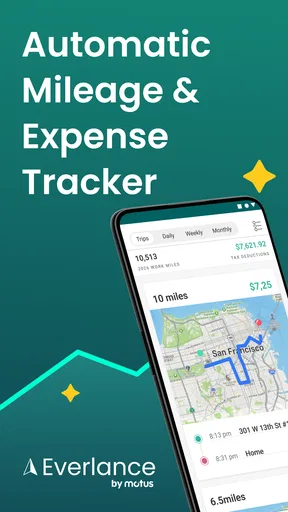
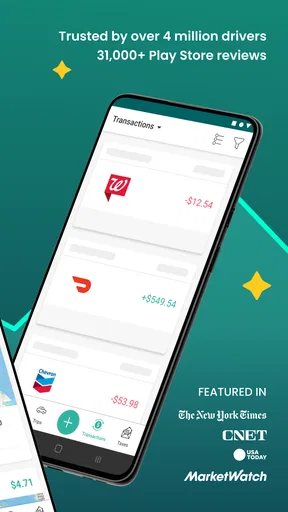
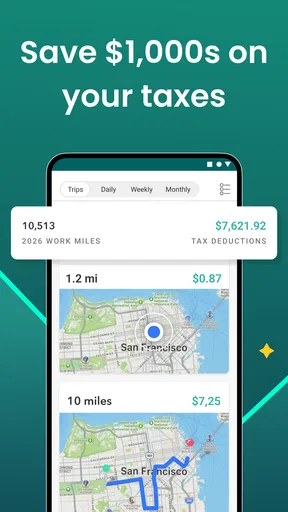
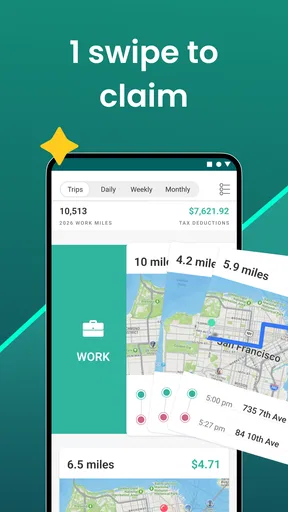
 Analysis by AppCompare
I judge a mileage app less by how impressive it feels on day one than by whether I still trust it when work gets busy. Everlance: Mileage Tracker is designed for people whose driving creates records they need later, and its appeal is clear: it can take much of the routine logging off your hands. The lasting value, though, depends on whether you’re willing to review those records and keep your tracking habits tidy.
Getting Started with Everlance
First things first, setting up Everlance is a breeze. You download it, give it the permissions it needs, and you’re off to the races. The app is available on both Android and iOS, so you’re covered no matter what device you’re rocking. The UI is super clean and intuitive, which I love. You don’t need a degree in rocket science to figure out where everything is.
The first-week appeal: less logging after each drive
The strongest early benefit is that you don’t have to remember to write down every work journey as soon as you park. For someone who drives between clients, job sites, or appointments, that can make the first week feel noticeably easier than keeping a paper log or adding trips to a spreadsheet at night. The app is in the finance category, and that practical focus suits its job: collect useful driving and expense records rather than turn tracking into a project of its own.
As a realistic example, picture a self-employed cleaner visiting several customers in a day. Automatic trip detection can help capture the drives between stops, while the cleaner can later decide which journeys belong in a business record and which were personal. That separation matters. A convenient log is only useful when you check that its classifications match what actually happened.
Mileage Tracking Made Easy
Okay, let’s get into the nitty-gritty. Everlance automatically tracks your mileage using GPS. You just drive, and it does the rest. I was a bit skeptical at first, but it’s surprisingly accurate. It logs your trips automatically and categorizes them for you. Work trip? Personal errand? It’s all there, neatly organized. And if you’re someone who forgets things easily (like me), the auto-detection feature is a lifesaver. No more scrambling to remember where you went three weeks ago!
Even with automatic capture, I’d make a quick review part of the routine rather than assume every trip is ready to submit. A short check at the end of a workday is easier than trying to reconstruct a week from memory. It’s also a useful chance to correct a personal stop or a mixed-purpose journey before the details become hazy. If you have an unusual schedule, such as frequent short stops or days that combine errands with client visits, that review is especially important.
Expense Tracking and Reports
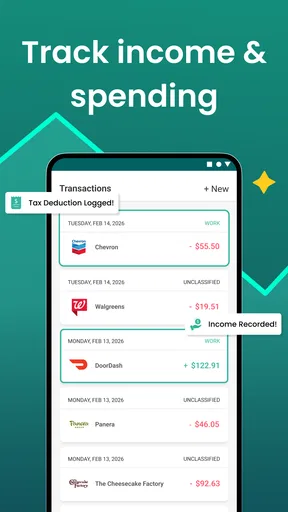
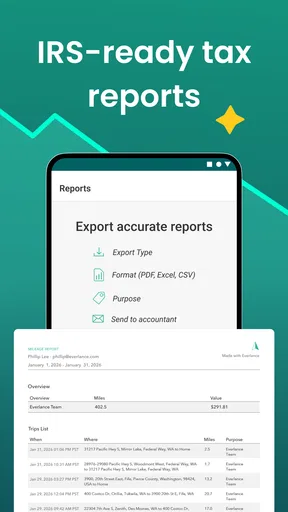
But wait, there’s more! It’s not just about mileage. Everlance also lets you track your expenses. You can snap a picture of your receipts and upload them to the app. It's like having your accountant in your pocket. And the reports? Super detailed and easy to read. Perfect for when you need to send them off to your boss or accountant.
Worth Reading Before You Choose

EA SPORTS FC Mobile 26 Is a Bigger Football Game, but It Takes Time

Flipboard Shows What News Apps Must Do Beyond the Feed

Switching to Android Auto Means Rethinking Your Driving Routine

Google Calendar Makes a Crowded Week Easier to Manage

Ludo King Makes the Most of the Minutes Between Plans

Baby Panda World Brings Quick Play to Modern Phones, but Its Game Library Feels Busy
The combination of trips and receipts is most useful when you give each record enough context to make sense later. If you photograph a receipt during the same break when you make a purchase, you avoid the familiar end-of-month pile of faded slips and vague card transactions. I would still treat a report as an organized starting point, not as a replacement for checking dates, categories, and business purpose before sharing it with an accountant or employer.
Month-to-month value: a record you can actually use
The app’s value grows when your driving is regular enough that manual tracking becomes repetitive. A freelancer who makes occasional work trips may appreciate the time saved, but someone who spends most weekdays on the road has more opportunities to benefit from a searchable, organized history. Everlance is free to download, has an average rating of 4.7 from around 33 thousand ratings, and has been installed over a million times. Those figures suggest broad interest, but they don’t guarantee that automatic tracking will fit every routine; the real test is whether you keep the records accurate.
Compared with a notebook, a spreadsheet, or the basic notes app many people use, automatic capture can reduce the number of trips forgotten between the drive and the paperwork. Those simpler alternatives may still be better if you only drive for work now and then, want complete control over every entry, or prefer not to keep a tracking app running as part of your workflow. A spreadsheet can also make it easier to tailor a record to a particular office process, while Everlance’s advantage is having mileage and expense records together.
Customizable Features
One of my favorite things about Everlance is how customizable it is. You can set reminders, create custom categories, and even integrate it with other apps like QuickBooks. It’s like a Swiss army knife for mileage and expense tracking.
A practical tip is to decide on a small, consistent set of categories before your records build up. Categories that are too broad can make a report harder to interpret, while too many personal labels can slow down daily review. Reminders are useful when they prompt a habit you already want, such as checking trips after work; they can become noise if they arrive at a time when you cannot act on them. I’d also verify that an integration matches the way you and your bookkeeper organize records before relying on it for a recurring handoff.
Maintenance burden: the habit behind automation
Automatic mileage tracking reduces manual entry, but it doesn’t remove the need for attention. You still need to notice whether a trip was captured, classify it correctly, and keep receipts and categories understandable. I’d make the routine deliberately small: review trips at a predictable point in the day, add context while a receipt is fresh, and set aside a regular moment to inspect the reports. That turns the app into a lightweight record-keeping habit instead of a backlog you dread opening.
Battery and location access are reasonable things to consider with any GPS-based mileage tool. If you are uncomfortable allowing an app to detect trips, or you only need a handful of entries, a manual log may feel more comfortable and simpler to maintain. If you do use automatic tracking, check your device’s settings and the app’s behavior during your ordinary routes early on. That gives you time to adapt your routine before you depend on the records for a deadline.
Subscription Options
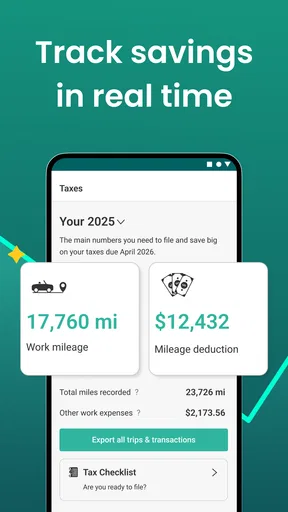
Now, let’s talk about the moolah. Everlance offers a free version, which is great for basic tracking. But if you’re looking to unlock all the bells and whistles, there’s a premium version. It’s a bit of an investment, but considering the time and headaches it saves, I’d say it’s worth it. Plus, if you drive a lot for work, it practically pays for itself with all the deductions you’ll be able to claim.
There are in-app purchases ranging from $6.99 to $239.99 per item, so I would check the current options in the app and compare them with the features I actually expect to use before paying. A frequent driver who needs a dependable routine for mileage and receipts may find a paid option easier to justify than someone who records only a few trips a month. I wouldn’t assume that using the app guarantees a tax deduction or that every plan suits every workflow; eligibility and record requirements depend on a person’s circumstances.
Sources of fatigue: when tracking becomes another task
The main risk is not that mileage records have no value; it’s that reviewing them can feel like one more chore. If you ignore trip classifications for weeks, the app may save the distance but leave you with decisions to make when you have less context. Receipt capture has the same trade-off: taking a photo promptly is convenient, but an unlabeled image can still be hard to connect to a business expense later. The way around that is not endless organizing. It is a brief, repeatable check that catches mistakes while the day is still familiar.
Everlance is less compelling for a person whose work rarely involves driving, someone who already has a company-required logging system, or anyone who strongly prefers to enter records manually. It may also be a poor fit if you want a tool that requires no ongoing review. For those users, a simple spreadsheet or the employer’s established process could be more direct. The best choice is the one that produces records you will consistently maintain, not the one with the most automation in theory.
User Experience
In terms of user experience, I haven’t had any major hiccups. The app runs smoothly, and I haven’t encountered any crashes. The support team is pretty responsive too, which is always a plus. If you ever run into issues, they’ve got your back.
Everlance is developed by Everlance Mileage Tracker, and the app is rated for Everyone. It was released on August 2, 2016, and version 5.1.1 requires Android 5.0 or later. That makes it relevant to people using older Android software as well as those on newer devices, though I’d still check that the version available to you works with your particular phone and operating system before building a work routine around it.
Long-term verdict: keep it if the records earn their place
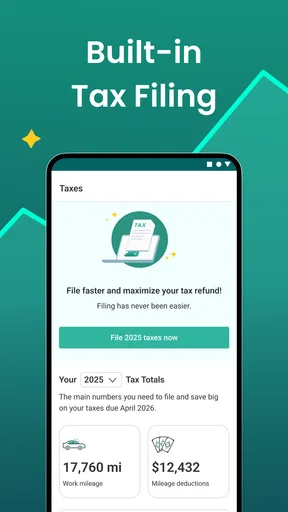
All in all, Everlance is a solid app that does exactly what it promises. If you’re a freelancer, small business owner, or just someone who needs to keep track of their driving, it’s definitely worth a try. It takes the hassle out of mileage tracking and gives you peace of mind knowing you’re not leaving any money on the table come tax season.
After the novelty wears off, I’d keep it only if the saved effort is real in my week: fewer forgotten trips, receipts captured while they are easy to identify, and reports that are simpler to review than a scattered set of notes. It is not a substitute for checking the details or understanding the records you submit. But for someone who drives regularly for work and is willing to spend a few minutes maintaining the log, that recurring convenience can make the app worth keeping.
So, if you’re tired of manually logging your miles or just want to make your life a bit easier, give Everlance a shot. You might just find it’s the app you never knew you needed!
Pros
- Automatic trip detection simplifies tracking.
- Intuitive interface for easy navigation.
- Comprehensive expense tracking options.
- IRS-compliant reports for tax time.
- Works offline to ensure no data loss.
Cons
- Premium features require a subscription.
- Limited customization for tracking categories.
- Battery usage can be high during tracking.
- Occasional GPS inaccuracies reported.
- Free version has limited features.
FAQs for Everlance: Mileage Tracker
What is Everlance: Mileage Tracker and how does it work?
Everlance: Mileage Tracker is an app designed to automatically track your mileage and expenses for business purposes. It uses GPS technology to log your trips and lets you categorize them as personal or business. You can also upload receipts and generate IRS-compliant reports, making it a comprehensive tool for freelancers and small business owners.
Is Everlance compatible with both Android and iOS devices?
Yes, Everlance is available on both Android and iOS platforms. You can download it from the Google Play Store or the Apple App Store. The app is designed to function seamlessly across different devices, ensuring that you can track your mileage and expenses regardless of your preferred operating system.
Does Everlance offer a free version, and what features are included?
Everlance offers a free version that includes basic mileage tracking and access to some expense tracking features. However, to unlock advanced features like unlimited automatic tracking and detailed reporting, you would need to subscribe to the premium version. The free version is a great way to test out the core functionalities of the app.
How does Everlance ensure the accuracy of mileage tracking?
Everlance uses advanced GPS technology to provide accurate mileage tracking. It automatically detects when you start and stop a trip, reducing the chances of human error. Additionally, the app allows you to manually adjust trip details if needed, ensuring precision and reliability in your records.
Can Everlance integrate with other financial tools?
Yes, Everlance can integrate with various financial and accounting tools such as QuickBooks, making it easier to manage your finances in one place. This integration allows for seamless data transfer, ensuring that your mileage and expense information is consistently up-to-date across platforms.


